
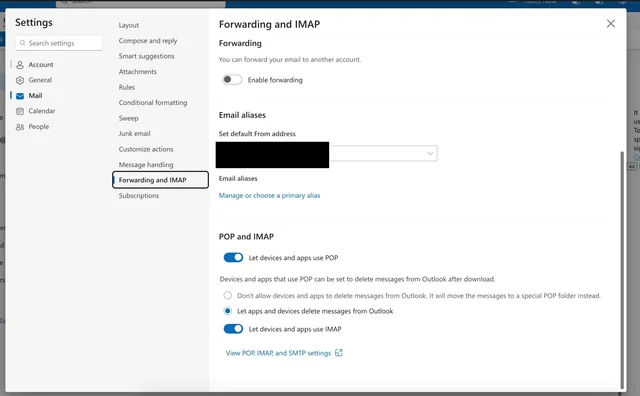
Open outlook mail website, Go to File -> Settings -> Click on Mail -> Then click on Forwarding And IMAP -> Enable "let devices and app use POP" and "let devices and app use IMAP" and allow "apps to delete messages from outlook"
And then go on spark and click "add account" and then click on outlook, and then follow it normally and you should be logged in